AI Label Visual Style
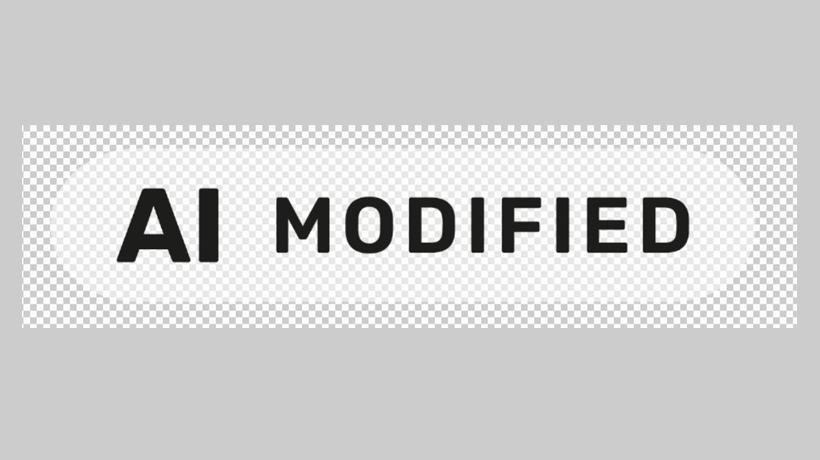
Label Style: Standardized white pill background with black text and fixed opacity. Use only the official AI label asset.
Do not modify its color, opacity, proportions, or visual appearance.
Download AI Label→Decision Criteria for AI Content Labeling
Label Required — AI Content Must Be Labeled

Does it need a label? Only if all three are yes.
- Does it look real?
- Could it exist?
- Would someone be fooled?
Any image that is AI-generated or modified using AI must include an AI label if the AI-generated or altered content could be mistaken for authentic or raise deepfake concerns.
If unsure whether a label is required, apply the AI label.
Label Exempt — No AI Label Required

Illustrations, cartoons, line art, vector graphics, and surrealist or abstract styles that do not depict real-world subjects or could not reasonably be mistaken for authentic photographs.
(A) Labeling Instructions : Full-Width KV Banner Images
General Rule
Advantech Web Pages: Position the AI label according to the page layout and ensure it remains visible across all supported image sizes (1920 px, 1440 px, 1200 px, 768 px, and 375 px), including on downloaded images.
- Applicable Scenarios: KV banners used on corporate sites and campaign pages.
- AI Label Specifications: Label width 80 px.
Exceptions
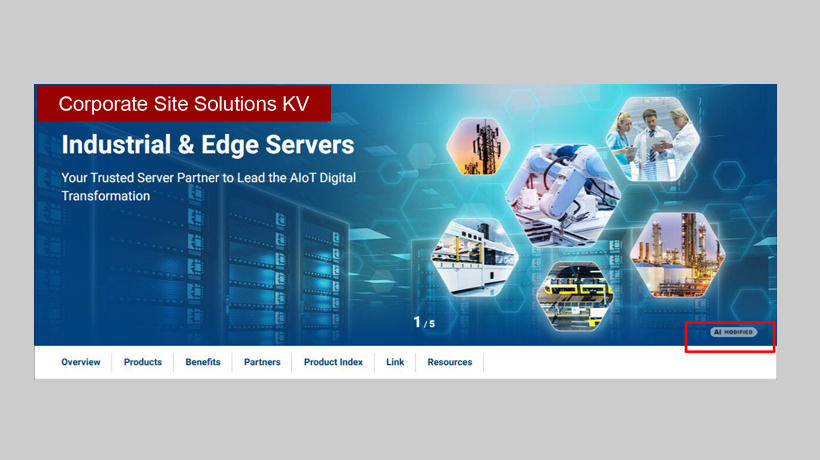
Corporate Solutions Pages KV:
Position the AI label in the bottom-right corner, aligned with the right edge of the 1200 px container and 15 px from the bottom. Embed the label into the image prior to delivery.

Corporate Homepage KV / Small Banner:
AI labels are automatically applied via the CMS/Admin system upon upload. Manual labeling is not required—simply check the 'AI MODIFIED' box during upload if applicable.
(B) General Content Images
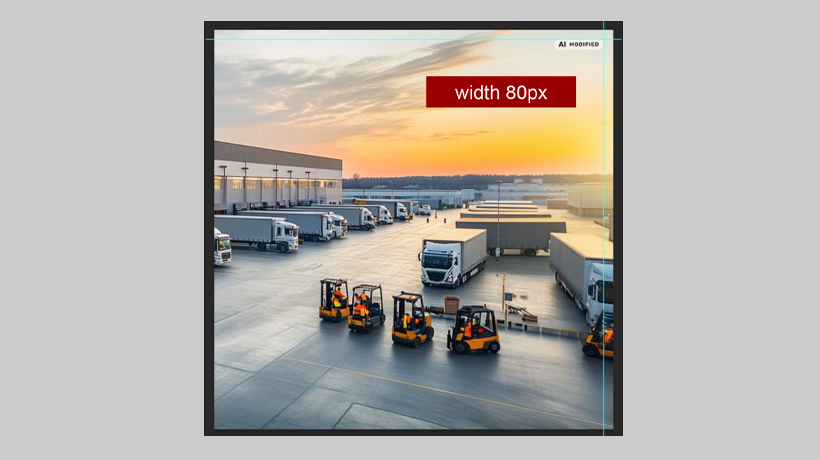
- Applicable Scenarios: All content images, including social media posts (Facebook, LinkedIn, etc.) and eDM (email marketing) images.
- AI Label Specification: Label width 80 px.
- Default Position: Top-right corner, 15px from the top and right edges.
- For platforms with automatic cropping: Adjust the position as needed to keep the label within the visible crop area.
(C) Alt Text Recommendation
It is recommended to include a clear AI-generated indicator in the alt text of applicable images. This helps ensure the disclosure is accessible to all users, including those relying on screen readers.
Alt Text Example
[Image Description] — AI Modified.
Compliance & Penalties
Under the EU AI Act, failure to comply with applicable AI transparency and labeling requirements may result in administrative fines of up to €15 million or 3% of the company’s total worldwide annual turnover for the preceding financial year, whichever is higher.